Archive for the ‘android’ tag
Firefox Mobile Beta: native UI at last!
The wait is finally over, no need to go through the daily Aurora upgrade process any more; Firefox Mobile 14 beta (available in the Google Play store) is out with all the improvements that were in the Aurora builds.
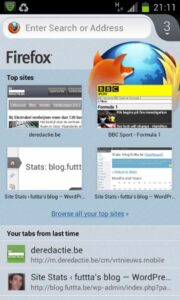
The main differences with the previous (non-Aurora) versions: Firefox on Android doesn’t use XUL (the Mozilla cross platform UI toolkit) any more, but switched to native Android UI elements. This (and other less visible changes) results in faster startup time, lower memory usage and better overall performance. There’s Flash in it as well, but with ‘tap to play’ option so the impact, I’m happy to report, is pretty limited. And the start-page is pretty nifty, with “Top Sites”, “Tabs from last time” and “Tabs on other computers” on one nice screen.
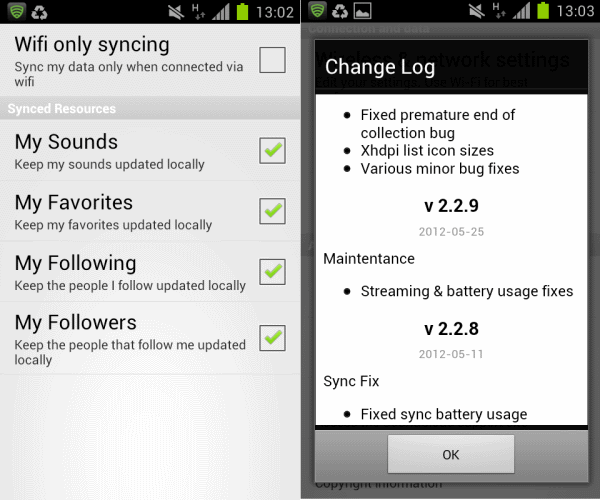
I must admit I was slightly worried at first, as I couldn’t get Sync to work at all (“could not connect to server” and similar error messages), but after uninstalling Aurora, Firefox Mobile Beta can sync just fine. All in all Firefox Mobile is an even greater browser than it was before.
Making do with Windows Phone, loving Metro
Every now and again you should go out of your comfort zone to get a new perspective on things. Or so they say. I love my comfort zone, it took me 43 years to build the damned thing after all, so please leave me be, will you?
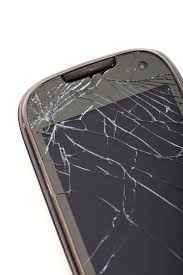
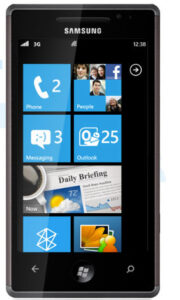
But things break and in this particular case the screen of my trusty old Samsung Galaxy S2 went dark, literally. I brought the phone in for repairs and grabbed the only test-device left at work as a temporary replacement. It was a Samsung Omnia 7 with Windows Phone 7. Now look at this little droid-boy getting pushed out of his comfort zone!
I’ve been using it for 5 days now, so why not make a small list of what sucks and what’s great? Here goes:
What sucks:
- The browser.
It’s notI can’t live without Firefox Mobile, but boy does Mobile IE7 suck. - No Internet connection sharing (not over USB, not over Bluetooth, not over WiFi)
- The fact that the phone doesn’t present itself as a USB storage device when I connect it over USB with my Ubuntu netbook
- The lack of an SD card slot
- I can’t login with my Live ID (my ancient Hotmail address) on my phone (but it does work in Zune), which means I can’t install applications from the Marketplace (I’m asked to call support! Seriously?)
- The fact that after installing Zune on my work PC and then waiting until I got home because Zune doesn’t do proxies, I still wasn’t able to upgrade to Windows Phone 7.5 (which does have Internet connection sharing and a more decent browser)
- There’s no way to reliably fetch information from the Exchange servers at work. Every once in a while mail gets downloaded, but in general there’s error code 8501001D ruining my Exchange experience
What’s great? Just one bullet point actually;
- The UI!
Really, despite my grievances about how poorly the device integrates with the outside world, my general feeling about Windows Phone is positive, and that is because Metro really is that great! The screens are sober, with lots of space and a prominent place for content (text & typography). Applications scroll horizontally to display different views and it’s the typography that makes this pretty discoverable. The graphics effects and sound add to the great responsive “feel” of the UI. And tiles are a radical break form the icon-based approach that is typical of iOS (and Android, classic Mac OS, Windows 3.11 and …), you could compare them to widgets (as seen on Android), but without the anarchy and clutter.
So yeah, really, I ♥ Metro! I hope Google (Android), Mozilla (b2g) and Ubuntu (Unity) take clues from what is, in my view, a pretty radical break in graphical user interface design, because I would love the computing environments in my comfort zone to be more about content and less about chrome as well!
While waiting for Firefox Mobile 11
I’m on the beta-release channel for both my desktop and mobile Firefox and my desktop has been running version 11 (with SPDY) for over a week now, but there hasn’t been an update for Firefox Mobile Beta in the Android Market yet. Apparently the Mozillians are working hard to finish the complete overhaul of the front-end, which integrates with Android UI (instead of using Mozilla’s own XUL) and services (synchronization in particular).
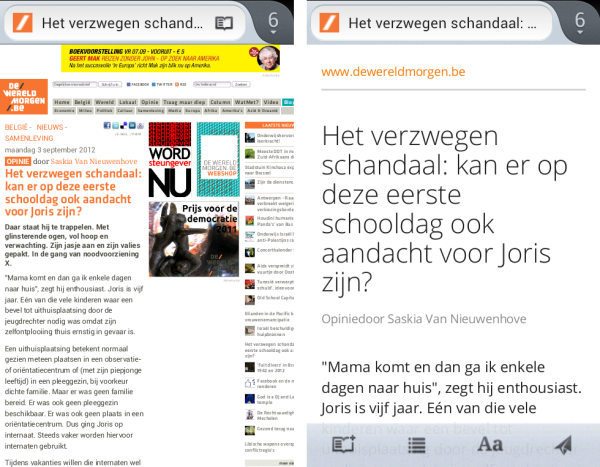
As I’m an impatient guy, I installed the Aurora version of Firefox Mobile, which is already at version 12 and that runs surprisingly well. Firefox Mobile already had the best HTML5-support and superior JavaScript-performance, but the new version (be it 11 or 12) adds a lower memory footprint and (much) faster start-up-time to that (and it has Flash, which I don’t care for really).
Mozilla is doing a great job in the mobile space, with the browser, but also with WebAPI and B2G. No, I don’t think I’ll switch to Chrome Mobile any time soon.
Chrome for Android finally arrives
Just in from Google Mobile Blog: Chrome for Android is out in beta for ICS (Android 4) devices. I won’t bore you with the marketing video, but this “Under the hood” video is a lot more interesting:
Looks like the superb Firefox for Android is (finally) getting some competition. I guess it really is time to upgrade my Galaxy SII to the recently leaked ICS rom!
jailbreaking !== jail
Jailbreaking is not a crime, but we shouldn’t take that for granted, because as Bunnie (XBox hacker) writes;
Three years ago, the [U.S.] Copyright Office agreed to create an exemption to the Digital Millennium Copyright Act so that folks could jailbreak their smartphones. But that exemption is about to expire.
Given the fact that the U.S. jailbreaking-scene is an important contributor, I signed the EFF petition which asks the Copyright Office for continued support for jailbreakers;
Being an avid Android-user, jailbreaking permits me to replace heavily customized (and in some ways crippled, think CarrierIQ) vendor-specific versions of Android with clean, crisp, fast and secure after-market “mods” such as CyanogenMod.
You should really sign this as well!
Secure your smartphone
Your smartphone probably contains a wealth of information of personal and professional nature, which you would not want others to have access to. This is why (after losing my HTC Hero a couple of months ago) I now try to follow 2 out of these 3 simple rules:
- don’t lose your smartphone.
- if you lose your smartphone, make sure you have something in place to locate it
- if you lose your smartphone and you can’t locate it, make sure you can wipe it remotely
There are multiple solutions to locate & wipe smartphones (including HTC’s Sense online offering), but for my Sense-less HTC Magic I installed “Lookout“. Lookout is a free application that provides device location, contacts backup & restore and apparently also malware protection. If you’re willing to pay $3/month, you also get remote wipe, remote lock and backup/ restore of pictures and call log. If you lose your Android-phone, you just log in to the Lookout-website to locate and optionally lock or wipe your handset.
I’m happy using the free version for now; I activated Android’s pattern lock-screen to avoid anyone from accessing my handset and deactivating Lookout. Remote wipe is great, but I guess I can activate my Lookout Premium account if ever I need that feature?
Tomorrow’s phone, now!
As every boy could tell you, it’s our toys that keep us kind of young. Because of that and as I work for a telco, I can’t but regularly buy a new phone. Over the years I’ve had a.o. a Nokia 7110, a Sony-Ericsson T68i, a Qtek 9100 and I currently own a secondhand Nokia E61i. But time flies and my E61i is aging fast (maybe if I wouldn’t drop it that often …), so in a few months time I’m buying a new smartphone. Time to start shopping for pics, specs and reviews!
Smetty recently asked for advice on this topic as well, she was thinking about the Nokia E71 as a cheaper alternative to the iPhone 3G. But I won’t be buying Apple’s must-have gadget any time soon; although it has some superb features (OS, browser and that multi-touch interface), it lacks a real keyboard, has not tethering and doesn’t allow applications running in the background. And last but not least; the platform is far too closed to appeal to an open standards and open source minded wannabe-geek like me. All Windows Mobile-based devices are banned from my shortlist as well; I really don’t like the OS and its GUI, it feels too much like Windows 3.11 to me.
I’ll probably end up buying either the Nokia E71, a HTC Dream (the Google-phone) or the Palm Pré. So let’s do a pro&con-list, comparison-tables are always fun, no?
| Nokia E71 | HTC Dream | Palm Pré | |
|---|---|---|---|
| Pro |
|
|
|
| Con |
|
|
|
The conclusion: although it still is vaporware, there’s some extreme chemistry going on between me and that darned Palm Pré. It’s the most exciting device by far and if it is for sale in Belgium, it’ll be hard to resist. The HTC Dream doesn’t seem to do it for me, no chemistry on one hand and not the “safe choice” either, as that award is easily claimed by Nokia E71. So Palm Pré if available in June/July, Nokia E71 otherwise?